A clear tool for controlled behavioral observation.
Mark when your events happen, keep the measurement local, and leave the interpretation in your own research workflow.
 Key Recorder
Assign up to seven keys to the events you observe. Hold a key while an event happens. Get durations in a CSV, saved on your Mac.
macOS 15.1 or later · No account required
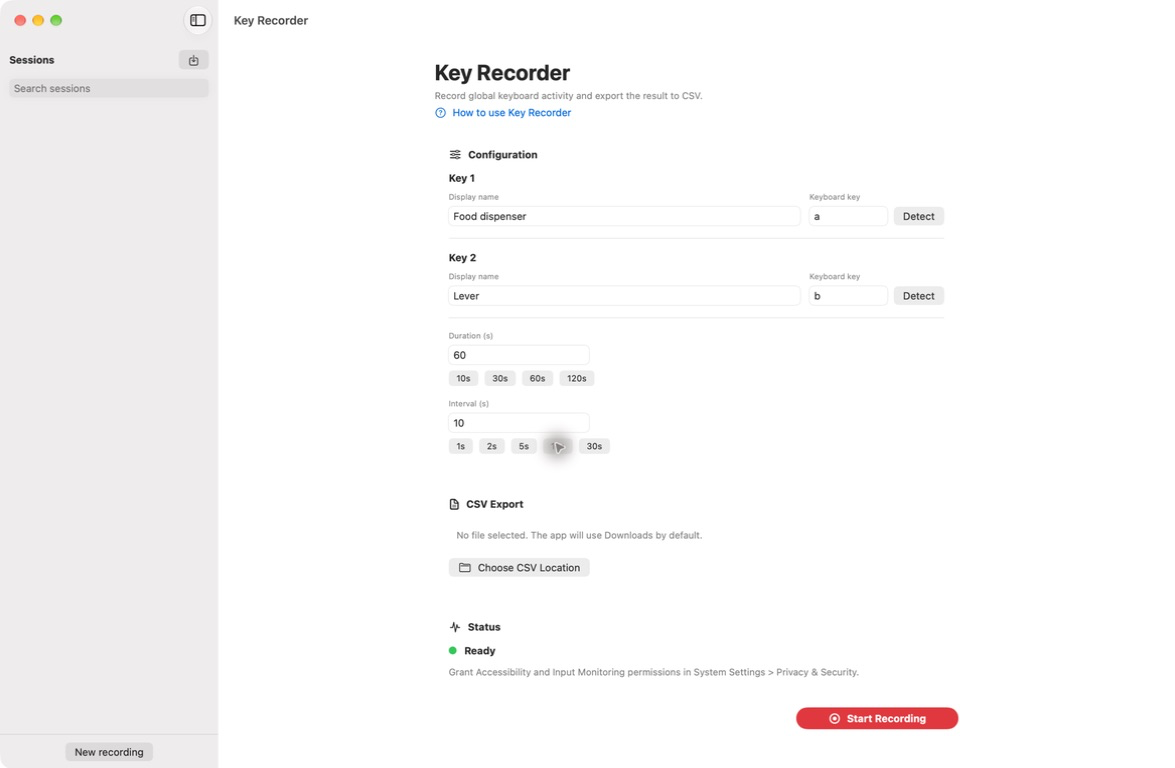
Map your physical keys to the moments you need to observe: a dispenser, a lever, a choice, a response.
Hold a configured key while the event occurs. Live values make the observation easy to follow.
Export interval-based durations that open cleanly in a spreadsheet, R, Python or your existing lab workflow.
A good observation ends with a file you can understand. Every row is an interval. Every value is a duration in seconds. Nothing is hidden behind a proprietary dashboard.
From keyboard signal to usable CSV.| Interval | Food dispenser | Lever |
|---|---|---|
| 0s – 30s | 12.450 | 4.200 |
| 30s – 60s | 8.100 | 10.000 |
| TOTAL | 20.550 | 14.200 |
Mark when your events happen, keep the measurement local, and leave the interpretation in your own research workflow.
Key Recorder produces a small, legible file that can move directly into a spreadsheet, R, Python or a lab archive.
macOS 15.1 or later · No account required